

QR Codes
The QR plugin generates QR codes from text, URLs, or structured data.
Powered by qrcode
This plugin passes your options directly to the qrcode library—no FloImg abstraction layer. See the qrcode docs for all available options.
Installation
Section titled “Installation”pnpm add @teamflojo/floimg-qrRegistration
Section titled “Registration”import createClient from '@teamflojo/floimg';import qr from '@teamflojo/floimg-qr';
const floimg = createClient();floimg.registerGenerator(qr());const code = await floimg.generate({ generator: 'qr', params: { data: 'https://floimg.com' }});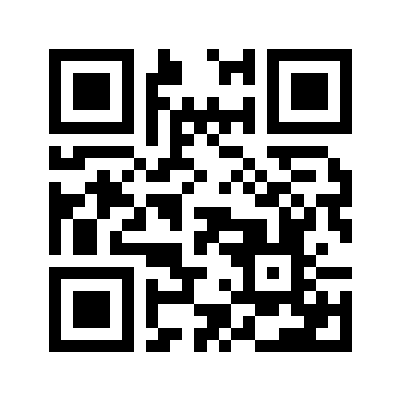
Parameters
Section titled “Parameters”| Parameter | Type | Required | Description |
|---|---|---|---|
data | string | Yes | Content to encode |
size | number | No | Size in pixels (default: 200) |
errorCorrection | string | No | Error correction level: ‘L’, ‘M’, ‘Q’, ‘H’ |
margin | number | No | Quiet zone margin (default: 4) |
color | string | No | Foreground color (default: black) |
backgroundColor | string | No | Background color (default: white) |
Examples
Section titled “Examples”Basic URL
Section titled “Basic URL”const qrCode = await floimg.generate({ generator: 'qr', params: { data: 'https://example.com/product/123' }});Custom Styling
Section titled “Custom Styling”const qrCode = await floimg.generate({ generator: 'qr', params: { data: 'https://floimg.com', size: 400, color: '#7c3aed', backgroundColor: '#f5f3ff', margin: 2 }});
High Error Correction
Section titled “High Error Correction”For QR codes that may be partially obscured (e.g., with a logo overlay):
const qrCode = await floimg.generate({ generator: 'qr', params: { data: 'https://floimg.com', errorCorrection: 'H', // Highest error correction size: 400 }});vCard Contact
Section titled “vCard Contact”const vcard = `BEGIN:VCARDVERSION:3.0N:Doe;JohnFN:John DoeORG:Example CorpTEL:+1-555-123-4567EMAIL:john@example.comEND:VCARD`;
const contactQR = await floimg.generate({ generator: 'qr', params: { data: vcard, size: 300 }});WiFi Configuration
Section titled “WiFi Configuration”const wifi = 'WIFI:T:WPA;S:MyNetwork;P:MyPassword;;';
const wifiQR = await floimg.generate({ generator: 'qr', params: { data: wifi, size: 250 }});Error Correction Levels
Section titled “Error Correction Levels”| Level | Recovery | Use Case |
|---|---|---|
L | ~7% | Clean environments, maximum data |
M | ~15% | Default, general purpose |
Q | ~25% | Moderate damage expected |
H | ~30% | Logo overlays, harsh conditions |
See Also
Section titled “See Also”Want to experiment visually? Try QR Code in floimg-studio →